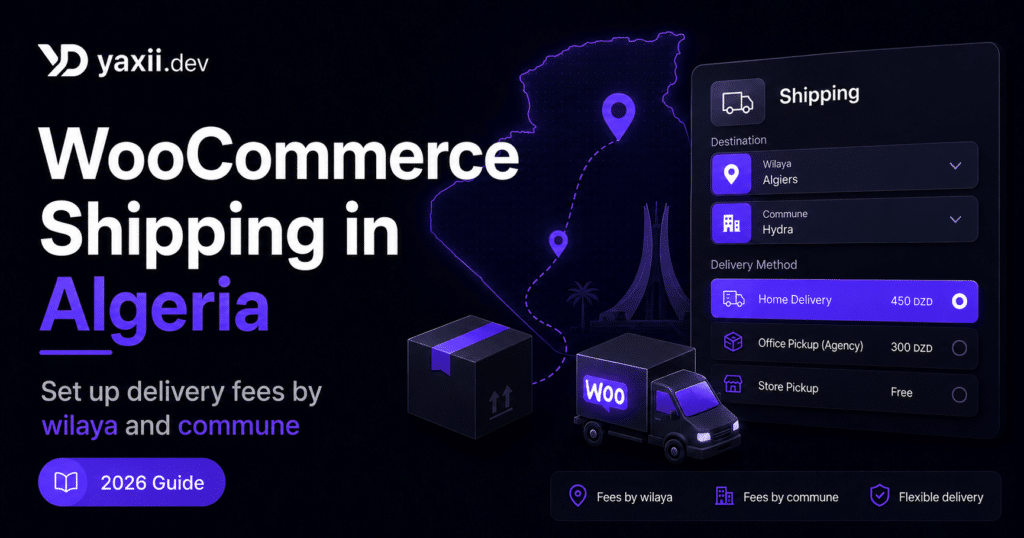
WooCommerce Shipping in Algeria: Set Up Delivery Fees by Wilaya and Commune
Setting up shipping in WooCommerce may look simple at first: create a shipping zone, add a flat rate, enable Cash on Delivery, and launch. But in Algeria, shipping is not just a delivery fee. It is a core part of the COD workflow.
A weak shipping setup can create orders with the wrong wilaya, missing commune, incorrect delivery price, confusing delivery method, or messy data that is difficult to send to carriers such as Yalidine, ZR Express, Maystro, EcoTrack, or another local delivery provider.
In simple words: for a WooCommerce store in Algeria, shipping must be designed as a data system, not just as a price.
Quick summary
For a WooCommerce store using Cash on Delivery in Algeria, a strong shipping system must answer four questions before the customer places the order: where is the customer located, which delivery method is available, how much does delivery cost, and is the order data clean enough for the carrier?
| Problem | Recommended solution |
|---|---|
| Wilaya typed manually in different formats | Use a structured wilaya list |
| Missing or misspelled commune | Filter communes based on the selected wilaya |
| Unclear delivery price | Show the delivery fee before the order button |
| Carrier submission errors | Prepare clean location and delivery data |
In this guide
- Why WooCommerce shipping is different in Algeria
- What WooCommerce shipping zones really allow
- Shipping by wilaya or commune: which one should you choose?
- Home delivery vs office delivery
- Preparing data for Yalidine, ZR Express, Maystro, or EcoTrack
- Where Yaxii Smart Form helps in this workflow
- Pre-launch checklist
Why WooCommerce shipping is different in Algeria
In many countries, shipping is often based on ZIP codes, standardized addresses, or online payments. In Algeria, especially with Cash on Delivery, the model is different.
Customers often order from their phones after seeing a product on Facebook, Instagram, TikTok, WhatsApp, or Google. They want quick answers: is the product available, how much does delivery cost, is my wilaya covered, and can I pay when I receive the order?
DataReportal’s Digital 2026 Algeria report indicates that Algeria had 55.6 million active cellular mobile connections in late 2025. This does not mean that every order comes from mobile, but it confirms the environment: your order form and shipping calculation must work smoothly on phones.
The real issue is not only the number of wilayas. The real issue is data quality: wilaya name, commune, delivery method, delivery fee, coverage, and compatibility with the carrier’s system.
What WooCommerce shipping zones really allow
WooCommerce includes a shipping zone system. A shipping zone lets you define which shipping methods and rates are available for a specific region. This is a solid base for many stores.
For example, you can create:
- a zone for Algiers;
- a zone for major cities;
- a zone for nationwide delivery;
- a zone with free delivery;
- a zone where delivery is unavailable.
However, for a COD store in Algeria, default WooCommerce shipping zones can become limited if you need to manage communes, office delivery, provider-specific prices, unavailable locations, or the exact data format expected by your delivery company.
| Need | Default WooCommerce | What COD stores in Algeria really need |
|---|---|---|
| Price by broad zone | Possible | Useful for simple stores |
| Price by wilaya | Possible with manual setup or extensions | Often necessary for national COD shipping |
| Communes filtered by wilaya | Not built as a local COD experience by default | Very useful to avoid delivery errors |
| Home / office delivery | Possible but requires structure | Important for local carriers |
| Clean data for carrier API or export | Depends on your setup | Essential if you want automation |
Basic WooCommerce shipping setup
If your store is still small, you can start with a simple WooCommerce configuration. It will not cover every advanced Algerian COD case, but it is much better than leaving delivery unclear.
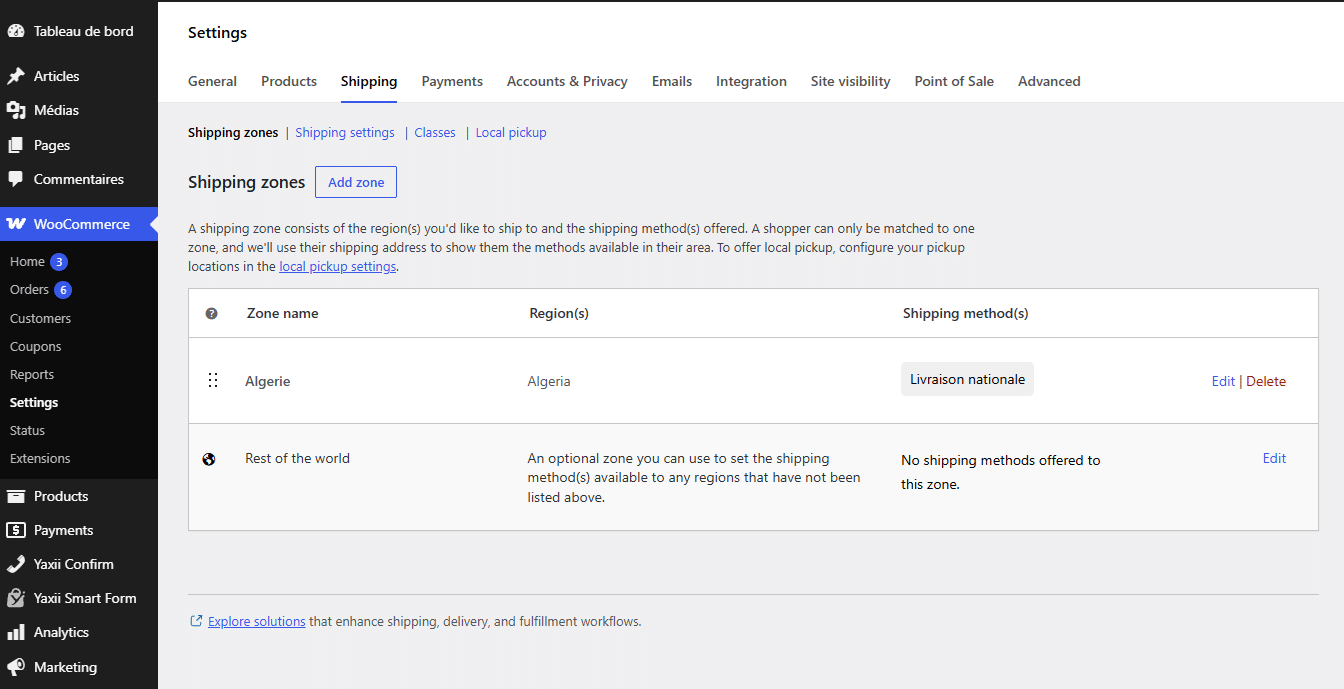
- 1Open the shipping settingsIn WordPress, go to WooCommerce → Settings → Shipping.
- 2Create a shipping zoneAdd a clear zone name such as “Algiers”, “North”, “Major cities”, or “Algeria”.
- 3Add a shipping methodAdd a method such as flat rate, free shipping, or local pickup depending on your strategy.
- 4Set the delivery priceAdd a clear fee and test the calculation with a real customer-style address.
- 5Place a test orderCheck whether the customer sees the right fee, whether the WooCommerce order is clear, and whether your team can send it to the carrier without guessing missing data.
Shipping by wilaya or commune: which one should you choose?
Many Algerian stores start with shipping fees by wilaya. This is often the best balance between simplicity and accuracy.
However, in some cases, wilaya-level pricing is not enough. Some communes may be farther, less accessible, slower to deliver, more expensive, or only available through a specific delivery method. This is where commune-level logic becomes important.
| Model | Advantage | Limit | Recommended for |
|---|---|---|---|
| Fixed national shipping fee | Very simple | Can reduce margins on distant areas | Lightweight products with strong margins |
| Price by region | Simpler than pricing every wilaya | Less accurate | Beginners or limited offers |
| Price by wilaya | Good balance between precision and maintenance | Needs updates when carrier rates change | Most COD stores |
| Price by commune | More accurate for sensitive areas | Harder to maintain | Advanced stores or high-volume operations |
If you are just starting, begin with wilaya-level pricing. If you already have volume, return issues, or large cost differences between communes, add more detailed commune-level logic.
Why you should avoid free-text wilaya fields
A free-text field may look flexible. In reality, it creates operational debt.
If you let customers type the wilaya manually, you may receive:
- “Alger”;
- “Algiers”;
- “الجزائر”;
- “16”;
- “dz”;
- “Kouba” written as the wilaya;
- typing mistakes;
- communes written in the wilaya field.
This is not just a cosmetic issue. It can break shipping calculations, slow down confirmation, create export errors, and make reporting by zone almost useless.
Home delivery vs office delivery
In Algerian COD, the delivery method is as important as the wilaya. Many carriers offer different modes: home delivery, office delivery, stop desk, pickup point, or pickup from an agency.
The customer must understand the difference before placing the order. Otherwise, they may choose an option without understanding what it means, then ask for changes later or refuse the package.
| Method | Advantage | What to explain to the customer |
|---|---|---|
| Home delivery | More convenient for the customer | May cost more and requires a clear address |
| Office delivery / stop desk | Often simpler or cheaper depending on the carrier | The customer must go to the office to pick up the package |
| Unavailable zone | Prevents impossible orders | Show a clear message before checkout instead of accepting the order |
A good product page should clearly show the price of each available delivery method. Customers should not discover the shipping cost after filling the entire form.
How to structure your shipping prices
Before configuring WooCommerce or an extension, prepare a simple shipping matrix. At minimum, it should include:
- wilaya;
- commune if you manage commune-level details;
- home delivery price;
- office or pickup price;
- availability;
- estimated delivery time;
- main carrier;
- internal notes.
| Wilaya | Home delivery | Office delivery | Available? | Note |
|---|---|---|---|---|
| Algiers | Rate according to your carrier | Rate according to your carrier | Yes | Priority zone |
| Oran | Rate according to your carrier | Rate according to your carrier | Yes | Check delay |
| Remote area | Specific rate | Depends on availability | Check first | Do not promise delivery without confirmation |
Preparing data for Yalidine, ZR Express, Maystro, or EcoTrack
As your store grows, the real challenge is no longer just receiving orders. The challenge becomes sending orders to the carrier quickly and without mistakes.
If your data is clean, you can work more easily with CSV export, manual entry, semi-automation, plugin integration, or API workflows. If your data is messy, every order becomes a small manual task.
An order ready for the carrier should ideally include:
- customer name;
- valid phone number;
- structured wilaya;
- structured commune;
- clear address;
- delivery method;
- shipping price;
- total amount to collect;
- product reference;
- internal note if needed.
- 1Receive the orderThe customer fills the form with wilaya, commune, phone number, address, and delivery method.
- 2Confirm the customerYour team verifies buying intent, address, delivery method, and total amount.
- 3Prepare fulfillmentThe order is prepared with clean data for the carrier.
- 4Send to the providerThe order is entered manually, exported, or sent through an integration/API depending on your workflow.
- 5Track the resultThe store tracks delivered, refused, returned, pending, or failed orders.
The goal is simple: reduce copy-paste, reduce errors, and keep a clean connection between WooCommerce and your delivery provider.
The hidden cost of a bad shipping fee
A poorly configured shipping fee can destroy your margin without being obvious at first.
For example, if you display a delivery price that is too low for a remote area, the order may look profitable inside WooCommerce, but become less attractive after preparation, delivery, possible return, and real carrier costs.
For a COD store, you should track at least:
- confirmation rate by zone;
- delivery rate by wilaya;
- refusal rate;
- return rate;
- average shipping cost;
- net margin after delivery and returns.
Where Yaxii Smart Form helps in this workflow
You can manage shipping with WooCommerce, extensions, spreadsheets, or custom development. But the more specific your COD workflow becomes, the more you need a system designed for local order collection.
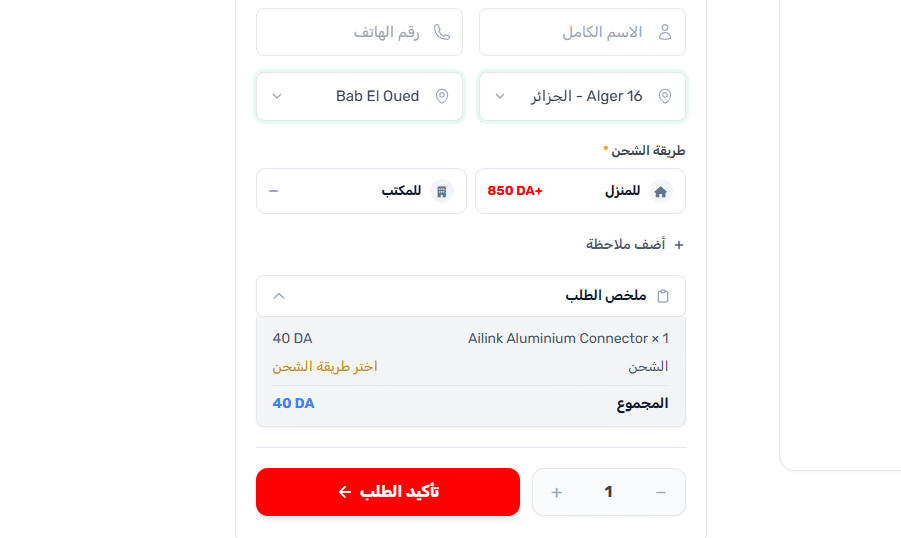
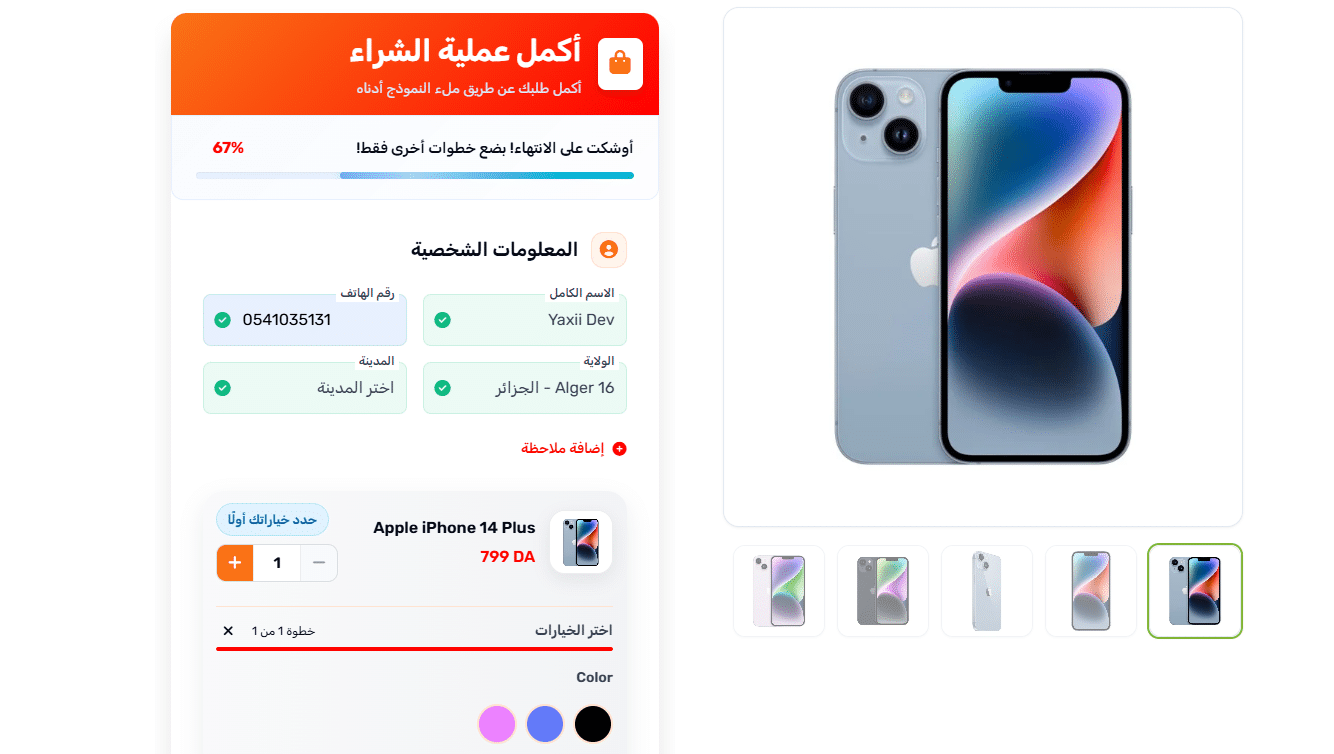
Yaxii Smart Form is built to turn the WooCommerce product page into a direct COD order form. Instead of forcing every customer through the classic cart and checkout flow, customers can order directly from the product page with the important fields: phone number, wilaya, commune, address, delivery method, quantity, and order summary.
For shipping specifically, the Yaxii Smart Form Shipping page is the most relevant internal resource. It explains how shipping methods, delivery zones, and COD order workflows fit inside the form experience.
If you build WooCommerce stores for clients, the Yaxii Smart Form for Agencies page is also useful for understanding how to standardize COD workflows across multiple projects.
Common mistakes to avoid
- Leaving wilaya as a free-text field instead of using structured selection.
- Not asking for the commune when it is needed for delivery.
- Showing the shipping price too late, after the customer has filled the whole form.
- Using outdated wilaya data without checking official updates and carrier data.
- Promising delivery everywhere without confirming real coverage.
- Confusing home delivery with office delivery.
- Not placing a real test order before launching ads.
- Not tracking returns by wilaya.
When should you move to a more advanced system?
At the beginning, a simple setup may be enough. But some signs show that your shipping workflow needs an upgrade.
| Signal | What it means | Recommended action |
|---|---|---|
| Your team often corrects wilayas manually | Customer location data is not structured enough | Add wilaya/commune selection |
| Customers often ask about delivery price | The fee is not visible enough | Show the shipping price before order submission |
| Orders take too long to send to the carrier | The workflow depends too much on copy-paste | Prepare export, integration, or standardized data |
| Return rate changes by zone | Some wilayas or communes cost more than expected | Track performance by location |
Shipping and abandoned checkout
Shipping price can also influence abandonment. If the customer does not see the delivery fee early, or discovers an unexpected amount at the end, they may leave without placing the order.
This is why shipping should appear early in the order experience. The customer selects a wilaya, sees available methods, understands the cost, and then confirms the order.
If you want to go further, you can also track customers who start filling the form but do not complete the order. The Yaxii Smart Form Abandoned Checkout page explains this recovery logic for incomplete COD orders.
Pre-launch checklist for WooCommerce shipping in Algeria
- 1Verify wilaya and commune dataUse a reliable source and compare it with the data accepted by your delivery provider.
- 2Define delivery methodsClearly separate home delivery, office delivery, pickup point, available zones, and unavailable zones.
- 3Prepare shipping feesCreate a matrix with wilaya, commune if needed, home delivery price, office delivery price, availability, and notes.
- 4Configure WooCommerce or your extensionAdd the required zones, methods, and rules depending on your business model.
- 5Test from mobilePlace a real test order from a phone, not only from your desktop.
- 6Check WooCommerce order dataMake sure the order contains the wilaya, commune, delivery method, shipping price, and total amount to collect.
- 7Test carrier submissionTry manual entry, CSV export, or integration depending on your workflow.
- 8Monitor after launchTrack confirmed, shipped, delivered, refused, and returned orders by wilaya.
/en/blog/woocommerce-shipping-algeria-wilaya-commune/FAQ: WooCommerce shipping in Algeria
Can I manage shipping by wilaya in WooCommerce?
Yes, WooCommerce allows you to create shipping zones and shipping methods. However, for detailed management by wilaya, commune, home delivery, office delivery, and carrier workflow, you will often need advanced configuration, an extension, or custom development.
Should I use a fixed national shipping fee or pricing by wilaya?
A fixed national fee is simpler, but it can reduce your margin in some areas. For most COD stores selling across multiple Algerian regions, pricing by wilaya is more realistic.
Why should I ask for the commune in the order form?
The commune helps confirm the address, calculate delivery more accurately, avoid mistakes, and prepare cleaner order data for the carrier.
How should I handle unavailable delivery zones?
It is better to show a clear message before the customer submits the order rather than accepting the order and cancelling it manually later.
Does Yaxii Smart Form replace WooCommerce?
No. Yaxii Smart Form works with WooCommerce. Its role is to adapt the COD order workflow to the product page: direct form, phone number, wilaya, commune, delivery method, order summary, and cleaner data for order processing.
What should I do if my carrier changes shipping rates?
Update your shipping matrix, WooCommerce rules, or form settings quickly. An outdated delivery fee can create hidden losses.
Conclusion
WooCommerce shipping in Algeria should not be treated as a simple fixed fee. It should be treated as a full COD system: clean location data, clear delivery cost, available methods, carrier-compatible order data, and tracking after dispatch.
As your store grows, small mistakes become expensive. A wrong wilaya, missing commune, outdated shipping fee, or confusing delivery method can create returns, refusals, and unnecessary manual work.
Start simple if your store is young, but build a clean foundation early: structured wilayas, filtered communes, visible prices, real testing, and carrier-ready data.